
 ScreenshotIT
Stop leaking UPNs in your screenshots.
Capture, annotate and hide sensitive info before you share. ScreenshotIT spots emails, names, GUIDs, serial numbers and IPs for you, then hides them in one click. Nothing leaves your device.
- No account
- No uploads
- No tracking
- Works offline
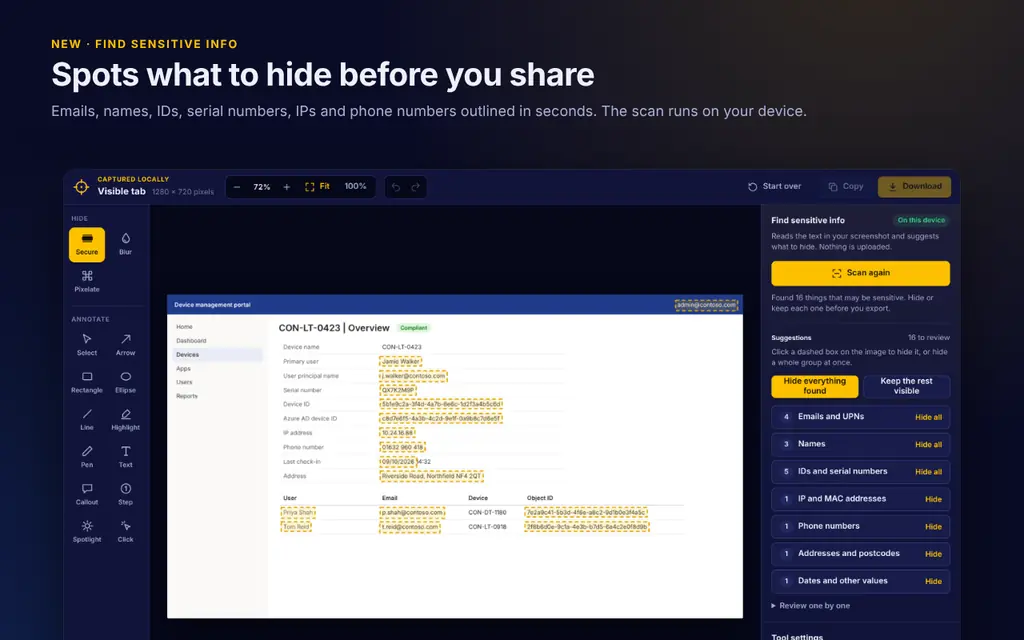
Built for the screenshots IT admins actually take
Intune device pages, Entra user blades, support tickets, how-to guides. The stuff that’s full of things you shouldn’t be sharing. On-device OCR spots emails, UPNs, names, GUIDs, serials, IPs, phone numbers and postcodes, and it understands admin-portal label/value rows and table columns.
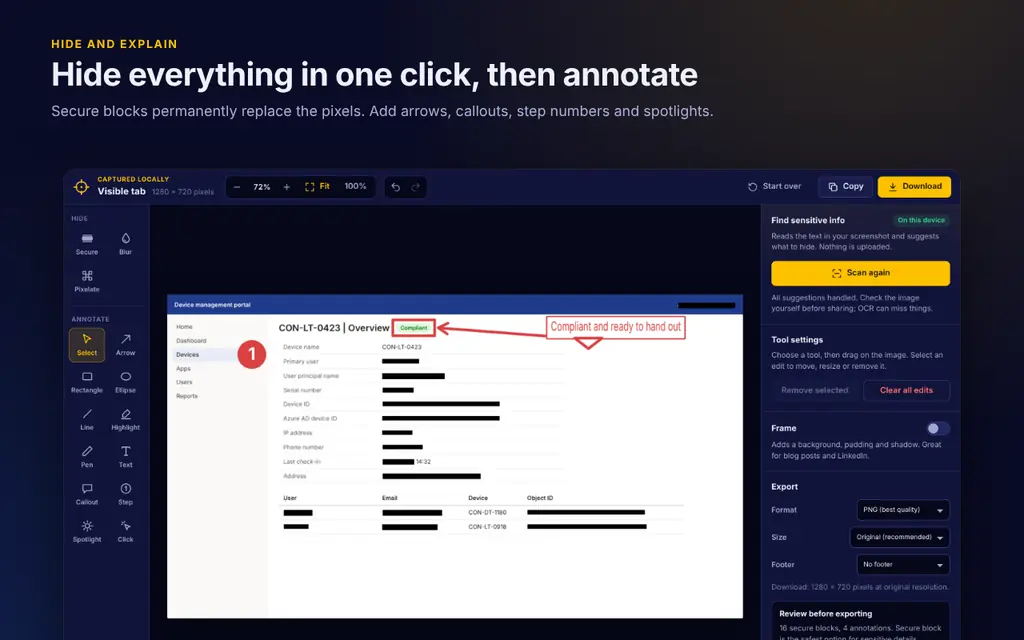
Hide it properly, then annotate
Solid block, blur or pixelate, permanently flattened into the PNG so nobody can undo it. Add arrows, boxes, numbered steps, text and spotlight.
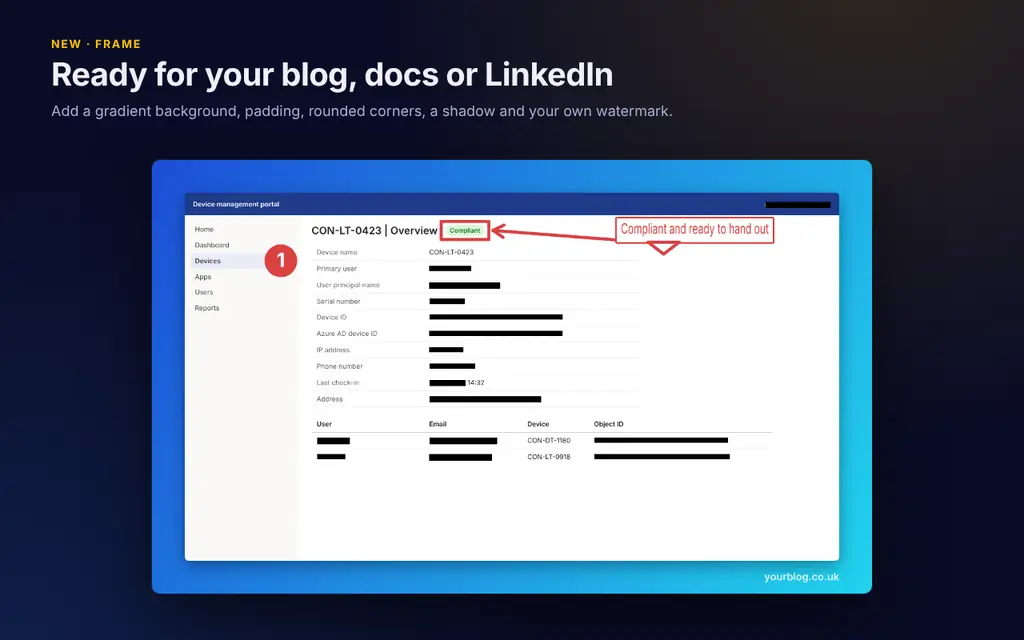
Make it look good
Drop it into a clean frame with padding, rounded corners and a shadow. Ready for a blog post, KB article or LinkedIn.
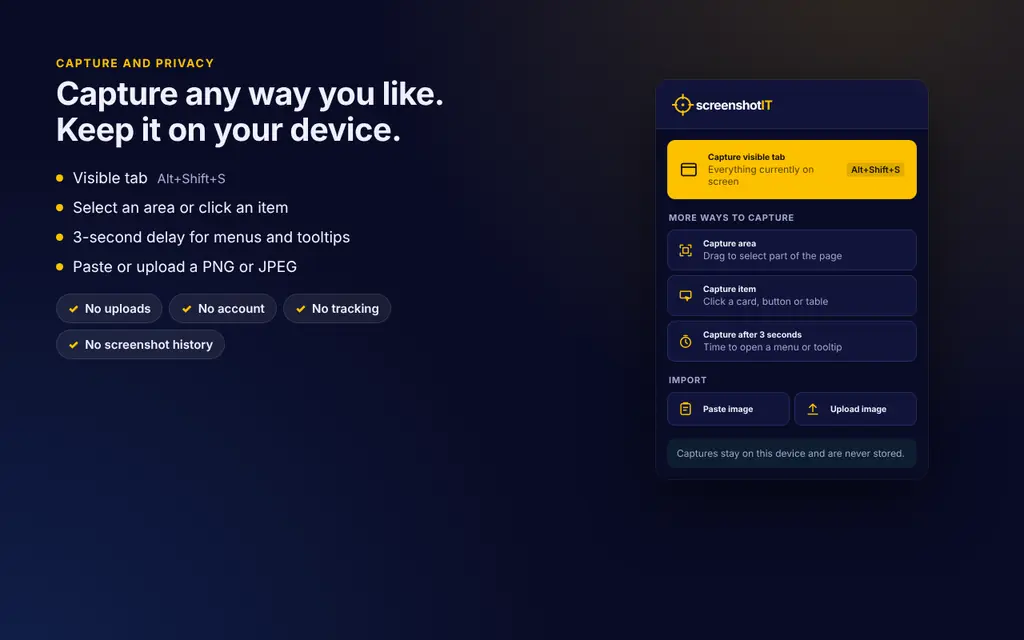
Capture any way you like
Visible tab (Alt+Shift+S), a selected area, a delayed capture for menus and tooltips, or paste and drop your own PNG or JPEG.
Why I built it
I write a lot of Intune and Entra how-tos, and every one of them means screenshots full of UPNs, device names, object IDs and serial numbers. Blurring them by hand in a separate app was slow, and it’s far too easy to miss one.
Most screenshot extensions want an account or upload your images to their servers. That’s the last thing you want with screenshots of your tenant. So I built one that does everything locally in the browser and finds the sensitive bits for you.
Privacy, in plain English
- Screenshots never leave your device
- The OCR engine is bundled in the extension, so it never calls home
- Network access is blocked by its security policy
- No account, analytics or tracking
- Only asks for activeTab and scripting permissions
Give it a go
Free, no sign-up, and it takes ten seconds to install.